
work
Deploy Openpeople HR in one click
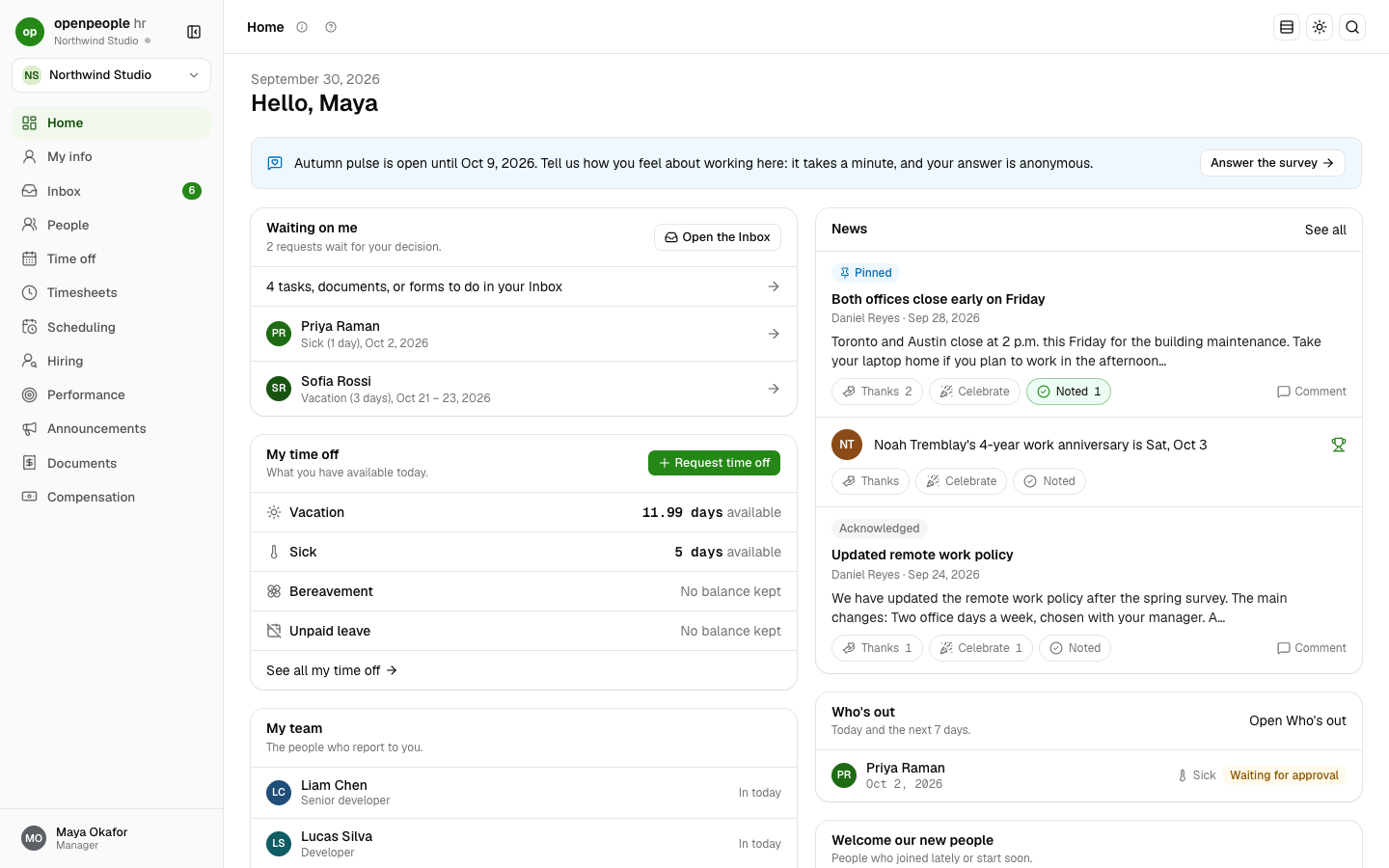
Keep everything about your people in one place: profiles, time off, timesheets, hiring, onboarding, benefits, performance, and reports. Open-source HR for small and mid-sized teams in the United States and Canada. A self-hosted alternative to BambooHR, without payroll: it exports what your payroll or accounting software needs.
TemplatesOpenpeople HR
Deploy
What gets deployed
Pulls the prebuilt ghcr.io/stackblaze-adam/openpeople-hr image. There is nothing to fill in before you deploy. On the first start the app creates its tables; then open the app's address and a short setup asks for your company (name, country, time zone, language), your name, work email and password, optional two-step login (an authenticator app or a passkey), and whether to start empty or with the Northwind Studio demo company. That first account becomes the workspace owner, and the setup page is gone for good. Open it soon after deploying: until then whoever opens the address first can claim it (set OPENPEOPLE_SETUP_CODE to have the setup ask for a code first). Postgres 16 is created with the app, and uploaded documents persist on the 5 GiB data volume. OPENPEOPLE_SECRET_ENCRYPTION_KEY is generated once and encrypts bank and identity numbers: copy it somewhere safe and never change it once people have been added. Email goes out through the platform's Email add-on when it is on; until then email waits in Settings, Email. Scheduled jobs (accruals, reminders) run inside the app. Load demo data preselects the demo company in the setup's last step; its logins share the owner's password, so leave it off for real use.
This stack
Web
Openpeople HR server
PostgreSQL
managed database · TCP:5432
managed other · TCP:587
Pulls the prebuilt ghcr.io/stackblaze-adam/openpeople-hr image. There is nothing to fill in before you deploy. On the first start the app creates its tables; then open the app's address and a short setup asks for your company (name, country, time zone, language), your name, work email and password, optional two-step login (an authenticator app or a passkey), and whether to start empty or with the Northwind Studio demo company. That first account becomes the workspace owner, and the setup page is gone for good. Open it soon after deploying: until then whoever opens the address first can claim it (set OPENPEOPLE_SETUP_CODE to have the setup ask for a code first). Postgres 16 is created with the app, and uploaded documents persist on the 5 GiB data volume. OPENPEOPLE_SECRET_ENCRYPTION_KEY is generated once and encrypts bank and identity numbers: copy it somewhere safe and never change it once people have been added. Email goes out through the platform's Email add-on when it is on; until then email waits in Settings, Email. Scheduled jobs (accruals, reminders) run inside the app. Load demo data preselects the demo company in the setup's last step; its logins share the owner's password, so leave it off for real use.
After you deploy
Pulls the prebuilt ghcr.io/stackblaze-adam/openpeople-hr image. There is nothing to fill in before you deploy. On the first start the app creates its tables; then open the app's address and a short setup asks for your company (name, country, time zone, language), your name, work email and password, optional two-step login (an authenticator app or a passkey), and whether to start empty or with the Northwind Studio demo company. That first account becomes the workspace owner, and the setup page is gone for good. Open it soon after deploying: until then whoever opens the address first can claim it (set OPENPEOPLE_SETUP_CODE to have the setup ask for a code first). Postgres 16 is created with the app, and uploaded documents persist on the 5 GiB data volume. OPENPEOPLE_SECRET_ENCRYPTION_KEY is generated once and encrypts bank and identity numbers: copy it somewhere safe and never change it once people have been added. Email goes out through the platform's Email add-on when it is on; until then email waits in Settings, Email. Scheduled jobs (accruals, reminders) run inside the app. Load demo data preselects the demo company in the setup's last step; its logins share the owner's password, so leave it off for real use.
Reference
Environment variables
Set at deploy. Empty values are yours to fill.
| Variable | Description | Required |
|---|---|---|
| DATABASE_URL | Default: postgresql://$(PGUSER):$(PGPASSWORD)@$(PGHOST):$(PGPORT)/$(PGDATABASE)?sslmode=disable | Optional |
| OPENPEOPLE_APP_URL | Default: {{KUBERO_APP_URL}} | Optional |
| OPENPEOPLE_SECRET_ENCRYPTION_KEY | Default: {{KUBERO_GEN_ALNUM:64}} | Optional |
| OPENPEOPLE_TRUSTED_PROXIES | Default: 1 | Optional |
| OPENPEOPLE_DATA_DIR | Default: /data | Optional |
| OPENPEOPLE_ALLOW_SIGNUP | Default: 0 | Optional |
| STACKBLAZE_LOAD_DEMO_DATA | Default: false | Optional |
Ready to deploy Openpeople HR?
One click. Dependencies pre-wired. No infrastructure to manage.